 ShoosOn
 Running Cues on ShoosOn: Phone Audio, Headphones and Watch Alerts
ShoosOn running cues guide every run type with phone audio through headphones, plus optional watch alerts for heart rate, pace and structured training feedback.
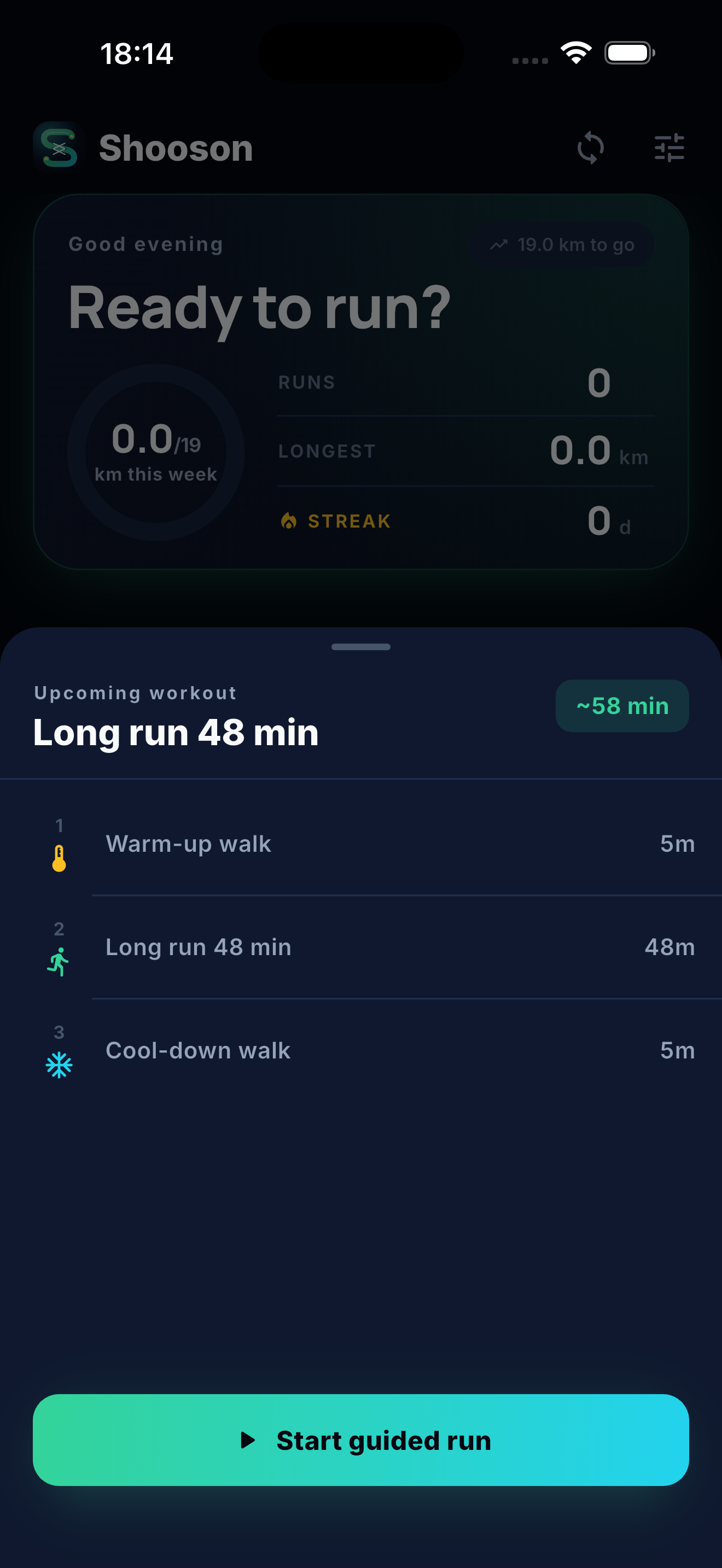
A useful running cue should arrive at the moment you need it, make sense instantly, and then get out of the way.
That is the idea behind ShoosOn’s in-run guidance. You can follow a coached session from the phone app with spoken audio cues through headphones, use a watch companion app for wrist feedback, or combine both. The important part is simple: you do not need to stare at a screen, and you do not need to run with your phone in your hand.
ShoosOn’s phone app can track runs and provide cues for all run types. The watch companion apps add extra feedback, especially heart-rate tracking and quick wrist alerts, but they are not required to follow your plan.
Phone audio cues for every run type
ShoosOn includes phone audio cues for every supported run type, including quick runs, Couch to 5K sessions, easy runs, recovery runs, long runs, tempo sessions, cruise intervals, VO2 intervals, hill work, strides, fartlek, aerobic pace check-ins and treadmill runs.
For simple runs, the phone can keep the experience light: start the run, record the session, and hear key updates such as pause, resume and finish. For structured training, the cue system becomes more specific. It can tell you when a segment starts, give a short warning before the next segment, and guide you through warm-ups, walk breaks, jog recoveries, running blocks and cooldowns.
During planned sessions, ShoosOn phone cues can include:
- Run start, pause, resume and finish messages.
- Current segment cues, such as warm up, walk, jog, run and cool down.
- A short heads-up before the next segment begins.
- Hill and recovery transitions where the next action matters more than a pace split.
- Outdoor pace nudges when you stay outside the target pace for long enough.
The goal is clarity, not constant chatter. ShoosOn does not try to narrate every second of the run. It gives you the important changes, then lets you settle back into your rhythm.
Preview the session, then let phone audio cues guide the run.
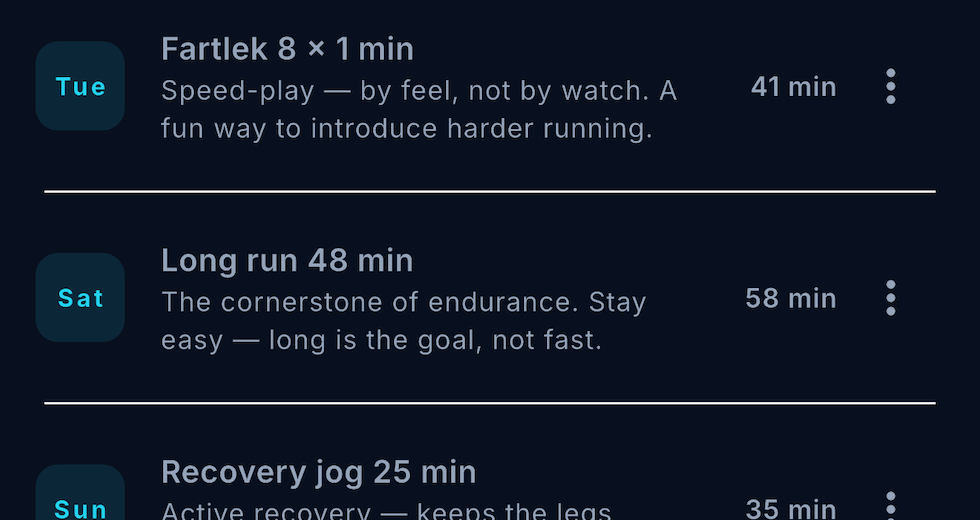
Coached sessions carry their structure into the run itself.
Run with headphones, not a phone in your hand
Phone-only run tracking is not a fallback experience. It is a full way to use ShoosOn.
Start the run from the phone, put it in a pocket, running belt, vest or armband, and listen through wired or Bluetooth headphones. ShoosOn’s spoken cues are designed for the way people already run: phone tucked away, music or podcasts playing, and short guidance when something changes.
That matters for comfort and safety. You should not have to hold a phone for a 30-minute easy run, a Couch to 5K session, a treadmill run or a set of intervals. With ShoosOn, the phone can still track the run, guide the session and record the result while staying out of your hands.
If you want the full list of supported sessions, we wrote more in More Ways to Run: Every ShoosOn Run Type Available Now.
Watch companion apps add heart rate and wrist feedback
The ShoosOn watch companion apps are best when you want more feedback without reaching for your phone. They are especially useful for runners who care about heart-rate tracking, quick glances and wrist-based alerts during structured training.
ShoosOn has companion apps for Apple Watch, Garmin and Android / Wear OS. The watch can show the metric that matters most for the current part of the session, such as distance, pace, heart rate or time. For a recovery run, heart rate may matter more than pace. For an interval, pace or distance may take priority. For a simple warm-up, time may be all you need.
That extra feedback is the strongest reason to use a watch with ShoosOn. A watch can keep heart-rate data attached to the run, show live effort on your wrist and give haptic or audible alerts when you drift away from the target. It can make structured sessions feel calmer because the next useful number is already where you expect it to be.
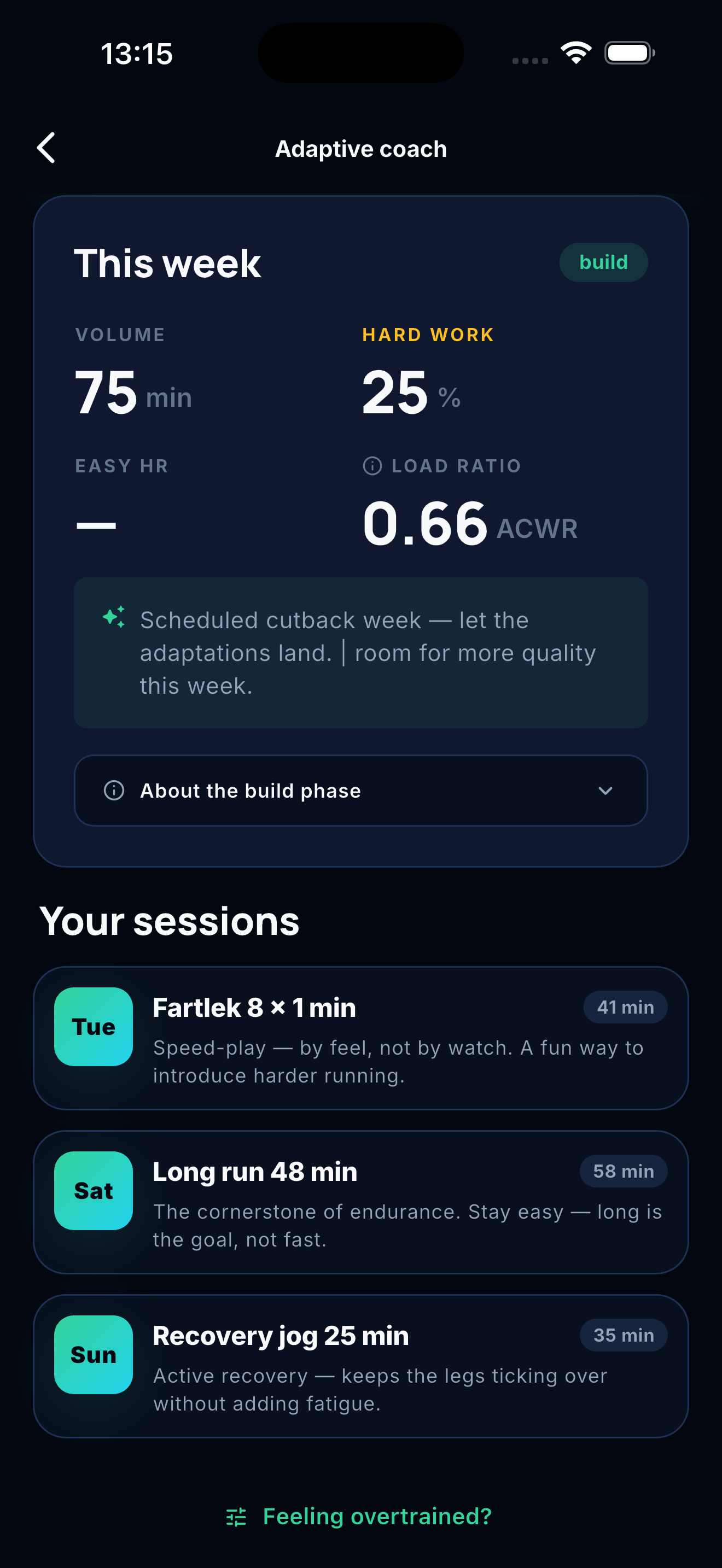
Structured weeks can be followed from the phone app, with optional watch feedback for live metrics.
Watch alert options, where supported
Watch alerts can help when a run drifts away from the plan. Depending on the watch platform and your settings, ShoosOn can use vibration, tones or both for target cues such as pace and heart rate.
Where configurable target alerts are supported, options include:
| Watch alert option | What it means |
|---|---|
| Default | Start with a gentle alert, then escalate if you stay out of target. |
| Vibrate only | Haptic cues without sound. |
| Audible only | Sound cues without vibration. |
| No target alerts | Turn off pace and heart-rate target alerts during the run. |
This is useful if you want a quieter watch on easy days, stronger feedback for pace sessions, or no target alerts at all. The phone app still handles its own spoken cues, so you can choose the setup that suits the run.
The same principle runs through the rest of ShoosOn: guidance should help, not nag. We wrote more about how runner feedback shapes those decisions in Built with runners, not just for them.
Phone-only still gives you coached cues
The watch apps work well, and they are the best option for extra feedback such as heart-rate tracking, wrist haptics, live metrics and quick glances. But they are not required.
ShoosOn’s phone app can track runs and provide audio cues for all run types on its own. If you do not have a watch, or simply do not want to wear one today, you can still follow your plan, hear segment changes, get outdoor pace guidance where it applies, complete the session and review the run afterwards.
That is worth repeating because it changes how the app feels. You can run phone-only with headphones and still get the core ShoosOn tracking and cue experience. No watch required. No phone in hand required.
Cues for structured training without overthinking it
Running cues matter most when a session has structure.
In a Couch to 5K run, you need to know when to walk and when to run. In a tempo session, you need to know when the stronger effort begins. In hill repeats or hill sprints, you need clear recovery transitions. In a long run, you may only need quiet tracking and the occasional useful update.
ShoosOn handles that structure for you. The coach builds the session, the run recorder follows it, and the cue system keeps you informed while you keep moving.
If you are new to the coaching side, start with Introducing our coaching plans. If you are setting a specific race or pace goal, Set a Running Goal by Date, Distance, and Pace With ShoosOn explains how goals shape the plan.
Less screen time, better runs
The best running cue is the one that lets you stop checking the app.
With ShoosOn, you can choose the setup that fits the day: phone audio through headphones, watch feedback on your wrist, or both together. The important part is the same either way. You get clear guidance during the run, useful feedback afterwards, and fewer reasons to break your stride.
ShoosOn is currently in closed beta, and we are improving the cue experience as runners test it in the real world.
ShoosOn - And go!